
Battery, Backup, and Bandwidth: Building a Travel Tech Kit That Never Lets You Down
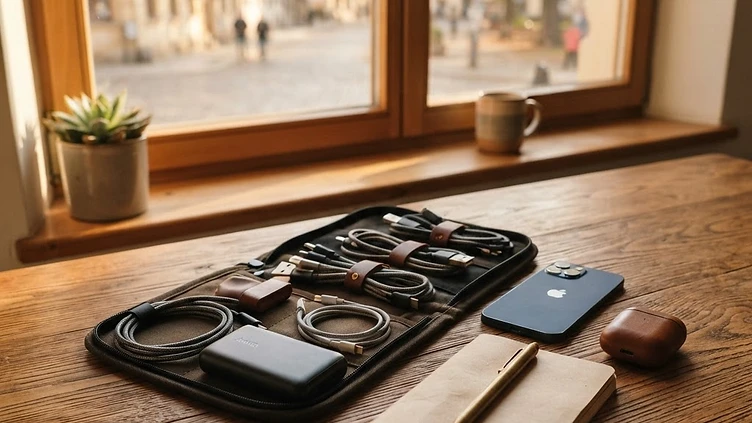
Great connectivity abroad isn't just about having the right data plan in your pocket. It's also about making sure your phone actually stays powered, your files stay safe, and your signal stays strong even when outlets are scarce and networks are patchy. Think of your travel tech kit as the unsung hero behind every smooth trip—small, light, and easy to overlook until something goes wrong. Here's how to put one together that quietly does its job so you can focus on the journey.
Why a Tech Kit Matters More Than You Think
Modern travel runs on devices: boarding passes, translation apps, offline maps, ride-hailing, and of course your eSIM-powered data connection. A dead battery or a corrupted memory card can undo all the planning you put into choosing the perfect connectivity plan. A thoughtful tech kit isn't about packing gadgets for the sake of it—it's about removing single points of failure so one hiccup doesn't derail your day.
The Power Layer
Power is the foundation everything else depends on. Before you fly, take stock of how you'll keep your devices alive between charging opportunities.
- A compact power bank with enough capacity for at least one full phone charge, ideally two if you'll be out sightseeing all day.
- A multi-port wall adapter so you're not fighting over the single outlet in a hotel room or airport lounge.
- Short, durable charging cables rather than long tangled ones—easier to pack and less likely to fray.
- A universal plug adapter that matches the outlet style of your destination, checked in advance rather than assumed.
If you're traveling with a laptop or camera, consider a power bank with enough wattage to charge those too, so you're not carrying three separate chargers.
The Backup Layer
Lost photos and locked-out accounts can turn a great trip into a stressful one. Backup isn't glamorous, but it's cheap insurance.
- Turn on automatic cloud backup for photos before you leave, so new images upload whenever you're connected.
- Keep a small offline backup too—a spare memory card or a portable drive—in case cloud access is limited for a few days.
- Save digital copies of your passport, insurance documents, and itinerary in an encrypted note or secure app, separate from the originals.
- Write down (on paper, not just your phone) the emergency contact numbers for your bank and embassy, in case your device itself is lost or stolen.
The Bandwidth Layer
This is where your eSIM data plan becomes part of a bigger system rather than a standalone fix. Good bandwidth habits stretch your data further and keep you online even when conditions aren't ideal.
- Download offline maps for each city before you arrive, so navigation doesn't eat into your data allowance.
- Pre-load translation packs and travel guides for offline use.
- Turn off automatic app updates and background refresh while traveling to avoid silent data drain.
- Keep your device's software updated before departure—older operating systems can sometimes struggle with newer eSIM profiles or network bands.
Small Extras That Punch Above Their Weight
A few lightweight additions round out the kit without adding real bulk:
- A slim cable organizer pouch so you're not digging through a tangled mess at airport security.
- A spare SIM ejector tool if your phone still uses a physical SIM alongside an eSIM.
- A basic screen cleaning cloth—surprisingly useful after long flights and dusty markets.
- A small notebook for jotting down Wi-Fi passwords, confirmation numbers, or quick notes when your phone battery is low and you want to conserve it.
Testing Before You Fly
The best tech kit in the world won't help if something is broken or incompatible. A week before departure, do a quick dry run: charge every device fully, test your power bank's output, confirm your eSIM is installed and ready to activate, and make sure your offline maps actually downloaded the right regions. Small glitches are far easier to fix at home than from a hotel room in an unfamiliar city.
Keeping It Light
It's tempting to pack every gadget you own